Sheet S-401 · Circulation plan
GoHighLevel Sidebar Menu Customization, Laid Out Like Your Office
GoHighLevel sidebar menu customization means renaming, reordering, hiding and regrouping the menu, or moving it to a top bar, mega menus or a floating quick menu. You map it to how your estimators, office and crews work in the Framework account's menu builder.
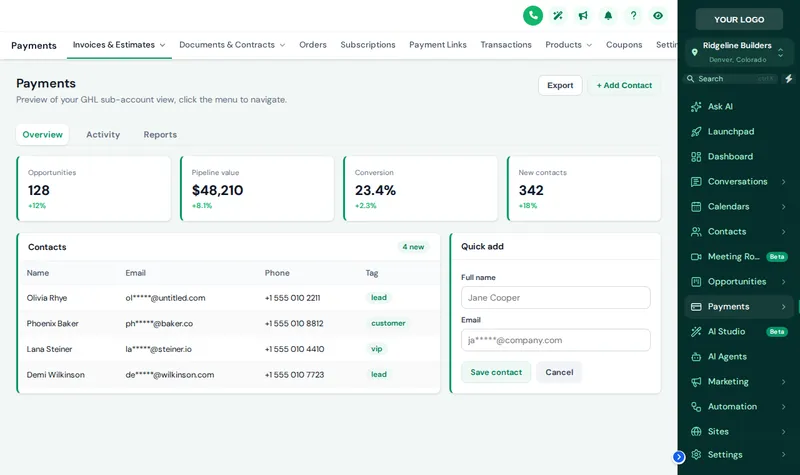
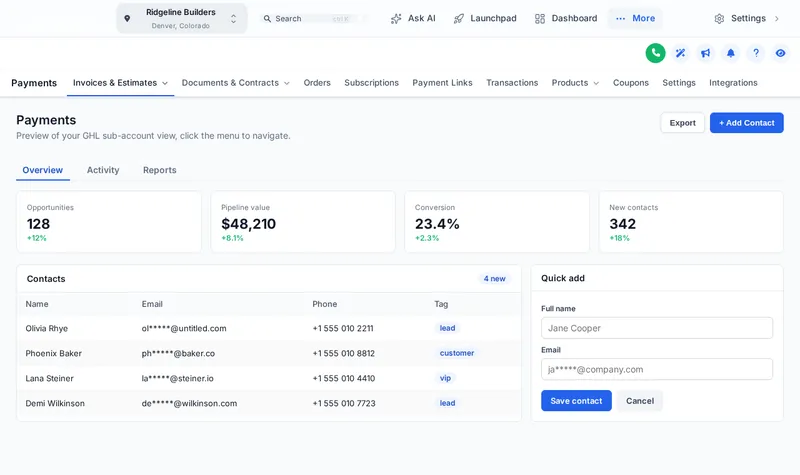
What Should a Contractor's GHL Menu Say?
A starting naming map for a builder. The pages behind each label stay GoHighLevel's own; only the names, order and grouping change. Adjust it to your trade.
Switch Layouts and Use the Menu
Pick a layout, a top bar style, a sub-menu style and a header, then click around the menu inside the preview.
The Shortcuts a PM Actually Uses
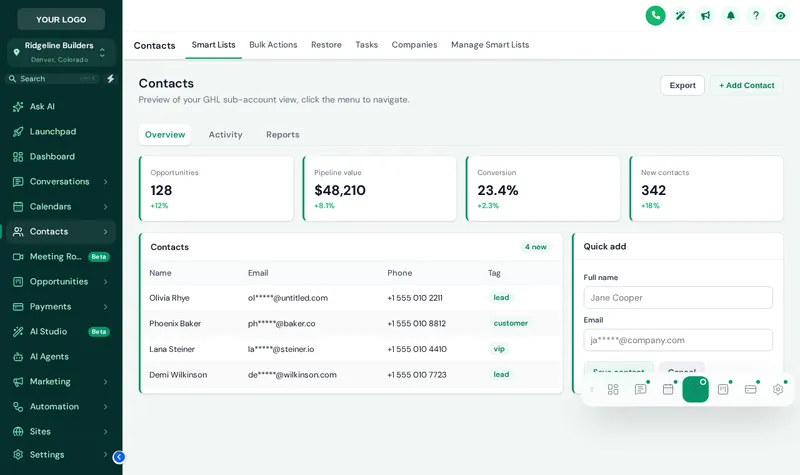
Project managers bounce between the jobs board, a homeowner's contact record and the site visit calendar all day. The floating quick menu keeps those pages one tap away as a bubble, a dock bar or a side rail, in 8 designs, and stays wherever they drag it. 3 layouts: Bubble + grid, Dock bar, Side rail.
Stock GoHighLevel
- Every feature listed, used or not
- GoHighLevel names in GoHighLevel order
- Sub-pages hidden behind tabs nobody finds
- One layout for every brand
As you build it
- Only what each role needs, in working order
- Your names, icons and your own links
- Mega menus that show a section at a glance
- Sidebar, top bar or floating menu, per brand
| Item | Foundation$247 | Framework$597 | Turnkey Build$1,197 |
|---|---|---|---|
| Menu builder, mega menus and floating menu | Not included | Included | Included |
| Dashboard designer | Not included | Included | Included |
| Pipeline designer | Not included | Included | Included |
| Contact actions bar | Not included | Included | Included |
- 01
Map how your team works
List who opens what: estimator, office manager, project manager, owner. Anything nobody uses can be hidden.
Site walk - 02
Rename, regroup and add links
In the menu builder, give items your names and icons, group related pages under headings, and add your own links (price book, safety docs, help center).
Framing - 03
Pick the layout
Left sidebar, right dock or top bar in one of 8 styles, sub-menus as a list or one of 8 mega menu styles, plus an optional floating quick menu.
Framing - 04
Save and walk it
Save, and agency and sub-account views update on their next page load. Click through it as each role would.
Inspection
Menu Builder Questions
Can I customize the GoHighLevel sidebar menu?
Yes. With the customizer you can rename, reorder, hide and group every item, add your own links, and choose where the menu sits: left sidebar, right dock, a top bar, mega menus or a floating quick menu.
Does hiding a menu item stop someone reaching that page?
Hiding removes it from the menu. To actually restrict access, combine it with GoHighLevel user permissions; the help docs show which permissions match each menu item.
Can the agency view and sub-accounts have different menus?
Yes. Each view has its own list of items and settings, so your agency staff and your contractor clients each see what suits them.
What is a GoHighLevel mega menu?
A panel that shows every sub-page of a section at once instead of a long list. There are 8 styles, from columns and tiles to tabs, an icon rail and a full-width band. Pick a mega style in the preview and hover Sites.
Can I move the menu to a top bar?
Yes. The top bar comes in 8 styles, from solid and floating to glass, segmented and slim, and a merged header saves a whole row of screen.
What is the floating quick menu?
A bubble, dock bar or side rail with the pages people use most, in 8 designs. Anyone can drag it where they like and it remembers the spot. It is handy for project managers who jump between contacts and the jobs board all day.
Will it break when GoHighLevel adds menu items?
New items GoHighLevel adds are appended automatically unless you switch that off, and clicks go through GoHighLevel’s own links, so navigation keeps working.
Do sub-menus update when GoHighLevel adds pages?
Yes. The customizer learns each section’s tabs and drop-downs from GoHighLevel itself as people use the app, so new pages appear without anyone editing the menu.
Which package includes the menu builder?
The Framework account and above, at $597 one-time, together with the dashboard designer, pipeline designer, announcements and contact actions bar.
Next sheets in the set
Ready to break ground
Draw the Floor Plan Around Your Team
Framework unlocks the menu builder, the dashboard and pipeline designers and the contact actions bar in your own lifetime account. Your login arrives within minutes.
Card payment through Stripe. Your login arrives by email within minutes (at most 24 hours).
Drawing index
Every sheet in the GHL Dashboard Customizer set. Each one has its own live preview.
GoHighLevel and HighLevel are trademarks of HighLevel, Inc. Construction Snapshot for GHL is an independent team and is not affiliated with, endorsed by or sponsored by HighLevel, Inc. The customizer changes how GoHighLevel looks in the browser; it does not change your contacts, pipelines, workflows or settings. We never ask for your GoHighLevel login.